
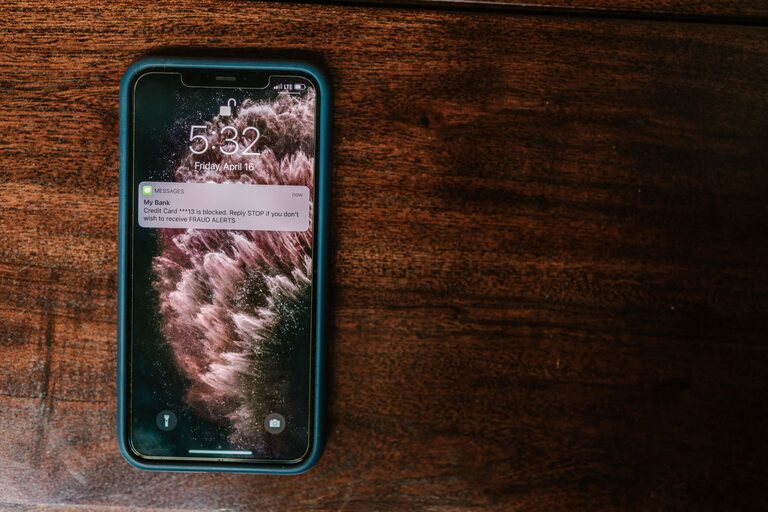
In today’s digital world, notifications from our phones, computers, and apps can be constant and overwhelming. While these alerts are meant to keep us informed and connected, they can also become a distraction and disrupt our productivity and peace of mind. Setting boundaries with notifications is an essential step toward managing your time, reducing stress, and staying focused on what really matters.
In this post, we’ll explore practical tips for creating healthy notification habits that work for you.
Why Set Boundaries with Notifications?
Notifications serve an important purpose, but too many can lead to:
– Frequent distractions
– Reduced concentration
– Increased stress and anxiety
– Interruptions during work or personal time
By setting boundaries, you can take back control of your attention and create a healthier relationship with technology.
Tips for Managing Notifications Effectively
1. Audit Your Notifications
Start by reviewing which apps and services are sending you notifications. Ask yourself:
– Do I need to be alerted immediately, or can this wait?
– Which notifications are most important to me?
– Are there any that I never act on or ignore?
Delete or disable notifications from apps that don’t add value.
2. Customize Notification Settings
Most devices allow you to customize how and when you receive notifications:
– Use “Do Not Disturb” modes during focused work or rest periods.
– Set priority notifications for important contacts or apps only.
– Turn off sound alerts for less urgent notifications, or switch to subtle banners.
Taking the time to adjust these settings helps reduce unnecessary interruptions.
3. Schedule Notification-Free Times
Create specific blocks of time where notifications are off limits, such as during:
– Work sessions or meetings
– Meals with family or friends
– Exercise or relaxation time
– Before bed
This habit supports better focus and helps you be more present in the moment.
4. Use Notification Summaries or Digest Modes
Some platforms offer a summary or digest feature, which collects non-urgent notifications and delivers them at set intervals instead of immediately. This approach reduces frequent distractions and lets you check notifications on your own schedule.
5. Manage Email Notifications Wisely
Email is often a major source of constant alerts. Consider these steps:
– Unsubscribe from unwanted mailing lists.
– Use filters to prioritize important emails.
– Turn off push notifications for email apps and check mail only at designated times.
This helps keep your inbox manageable and lowers notification overload.
6. Disable Notifications on Less Critical Devices
If you have multiple devices—like a tablet, smartwatch, or secondary phone—turn off notifications on non-primary devices. This minimizes repeated alerts and helps you focus on essential notifications.
7. Communicate Your Boundaries
If you work in a team or share devices with others, let them know about your notification boundaries. For example, you might share your availability times or preferred contact methods during focus periods.
8. Regularly Reassess Your Notification Settings
Your priorities and usage patterns may change over time, so revisit your notification preferences regularly. Doing this every few months ensures your settings remain aligned with your current goals and lifestyle.
Benefits of Setting Notification Boundaries
By managing notifications thoughtfully, you can enjoy:
– Improved focus and productivity
– Reduced stress and anxiety
– Better work-life balance
– More quality time with loved ones
– Healthier sleep patterns
Final Thoughts
Setting boundaries with notifications is a simple yet powerful way to take control of your digital life. By auditing your alerts, customizing settings, scheduling downtime, and communicating your preferences, you’ll create a more balanced and intentional experience with technology.
Start small by adjusting a few notification settings today and notice how it positively impacts your daily routine. Your attention and wellbeing will thank you.
—
Feel free to share your favorite tips or challenges with notifications in the comments below!